
SKY pro guide plan
bredent GmbH & Co.KG · source
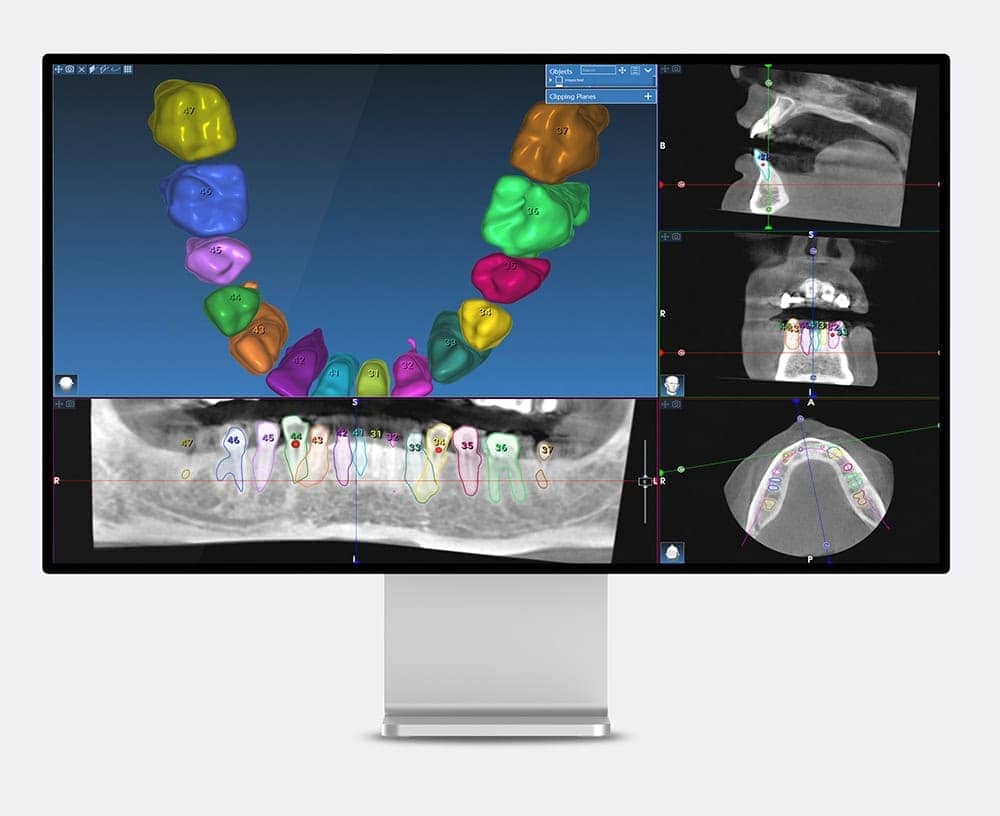
SKY pro guide plan is an implant planning software powered by RealGUIDE offering many special features.
bredent group software suite versions
SKY implant planning
(SKY implants only)
PRO - Version
Implant planning and design of surgical guides
DESIGN - Version
Check and adjust the implant planning on iPhone or iPad
APP - Version
View and upload DICOM and STL data for exchange with service center / labs
START - Version
CAD software with integrated scan bodies for matching with implant systems
CAD - Version
Implant planing, design of surgical guides and CAD design
CAD+ - Version
Highlights
- Assisted / automatic matching of STL on DICOM data
- Assisted / automatic segmentation of bone/teeth - conversion from dicom to stl data
- Sandbox - powerful tool to manipulate STL data and create stackable guides
- Complete CAD design options
Hardware requirements
MAC (native MAC version)
- MacBook Pro 15"
- iMac series
- OS: OS (12 Monterey, 13 Ventura)
Windows
- PROCESSOR: Intel I5 or I7 (for laptops). Quad Core recommended (for Workstations)
- RAM: minimum 4 GB. For big datasets 8 GB are suggested
- HARD DISK: 300 – 500 GB
- GRAPHICS CARD: 3GB or higher vRAM recommended. For higher performances Nvidia GTX or QUADRO line
- SCREEN RESOLUTION: 1920x1080 (Full HD) for optimal visualization
- OS: Windows 10, 11
Installation procedure
- Download the file for your system (SKY pro guide plan 5.4.2)
- Install SKY pro guide plan
- Start the software and create a new user
You will get a confirmation e-mail. After you confirmed your email address you can log in and you can use the software for 30 days in the PRO version.
Informations produit
| Fabricant | bredent GmbH & Co.KG |
|---|---|
| Compatible Systems | macOS (12 Monterey, 13 Ventura), Windows 10, 11 |